Backplane wiring is usually specified as a connector question and fails as an airflow and serviceability question. The cable that carries the right lanes at the right length can still block a fan, strain a backplane connector, or make a drive impossible to remove without unpicking half the loom. In a rack build those are not cosmetic problems: they drive temperatures, service times and eventually intermittent faults. This guide covers the decisions that matter.
Key Takeaways
- Connector family is set by the backplane; gauge and length are set by the chassis.
- Right-angle exits and correct length are what preserve airflow and serviceability.
- Over-length cable is not harmless — it obstructs airflow and complicates routing.
- Stiff cable strains the backplane connector, which is soldered to a board.
- Plan the loom as a whole, not cable by cable, before ordering.
Connector and Gauge Selection
The connector is determined by the backplane; the gauge is determined by the chassis.
| Decision | What sets it | What to confirm |
|---|---|---|
| Connector family | The backplane port type | SFF-8087, Mini SAS HD or SlimSAS — inspect the port |
| Lane count | The controller and backplane configuration | 4i or 8i, and the protocol mapping |
| Gauge | Chassis space and airflow | Thinnest gauge that meets the signal requirement |
| Shielding | Density and EMI environment | Shield construction appropriate to the build |
The connector families and their boundaries are set out in our Mini SAS guide and our SlimSAS specification guide. The gauge decision is the one buyers get wrong: a thicker cable is not a better cable in a backplane application, because stiffness and bulk work against airflow and connector strain.
Length: Shorter Is Not Always Better
Length selection balances routing slack against airflow obstruction.
| Consideration | Effect of too short | Effect of too long |
|---|---|---|
| Connector strain | Every movement loads the soldered joint | None directly |
| Airflow | None | Coiled cable blocks fan paths and raises temperatures |
| Serviceability | Cannot withdraw a drive without unpicking the loom | Difficult to trace and to dress |
| Bend radius | Tight bends fatigue conductors | None directly |
The target is the shortest length that routes without straining the connector, plus enough slack to withdraw the component it serves. That slack is a serviceability requirement, not waste. The signal-integrity ceiling that also bounds length is explained in our cable length and signal integrity guide.
Routing and Airflow
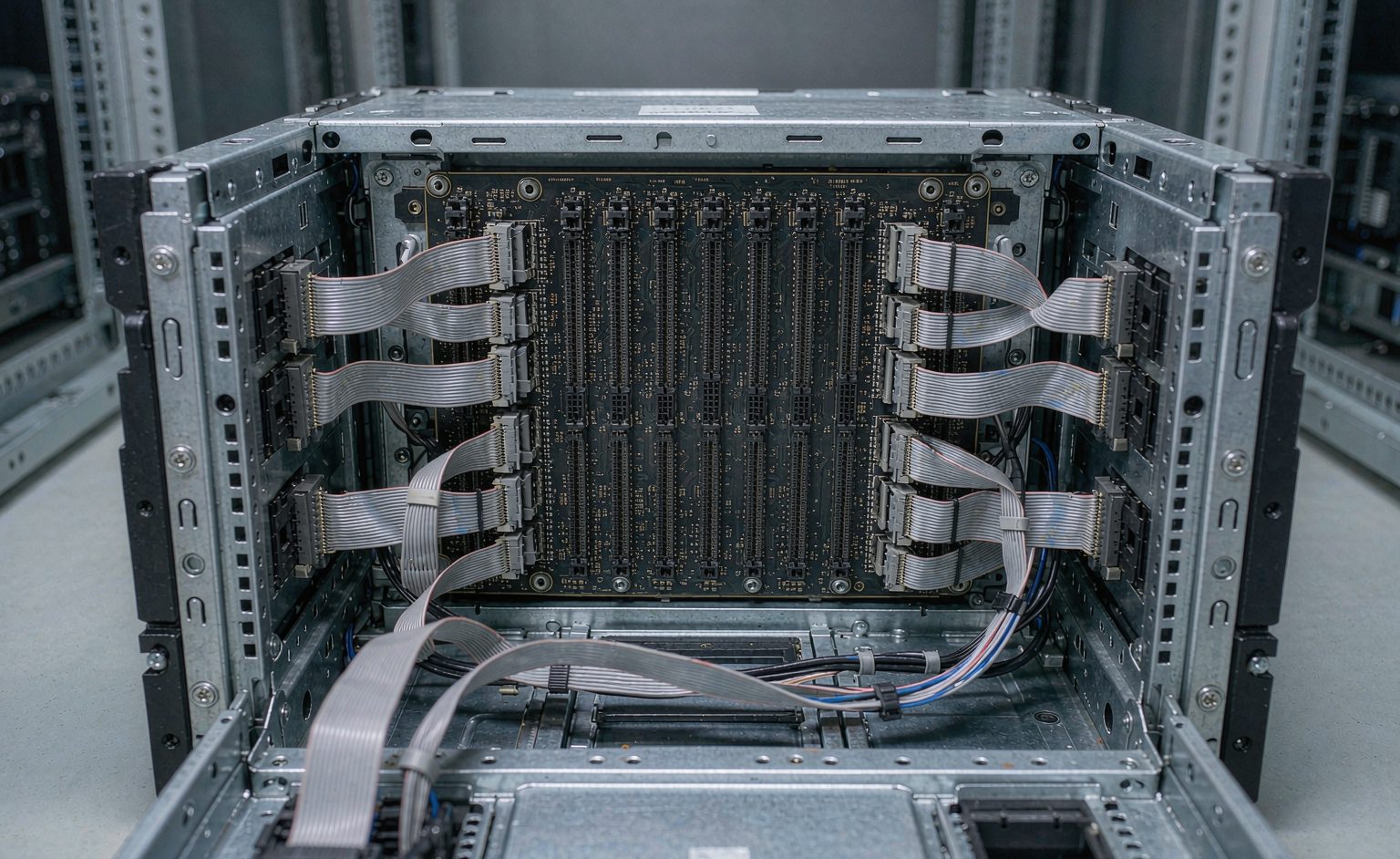
Routing is where a backplane build succeeds or fails thermally.
| Routing decision | What it affects | Good practice |
|---|---|---|
| Exit direction | Whether the cable clears the chassis wall | Right-angle exits where space is tight |
| Path selection | Whether the loom crosses a fan intake | Route along designed channels, not across airflow |
| Cable dressing | Whether the loom stays where it was put | Dress to anchors, not to other cables |
| Bend radius | Conductor fatigue at bends | Respect the manufacturer’s minimum radius |
Airflow is the constraint most often ignored at the cabling stage and most often blamed on the cooling design afterwards. A loom routed across a fan intake can raise internal temperatures enough to trigger thermal throttling that looks like a performance problem. The bend-radius constraints are covered in our bend radius guide.
Serviceability as a Specification Requirement
Two serviceability requirements should be written into the specification.
| Requirement | Why | How to specify it |
|---|---|---|
| Component withdrawal clearance | A drive should come out without unpicking the loom | Length and exit direction that leave a withdrawal path |
| Traceability | Fault-finding in a dense loom is slow | Labelling convention agreed before build |
Both are cheap to specify and expensive to retrofit. A loom that has to be partially dismantled to replace one drive turns a five-minute service into an hour, and that cost repeats for the life of the machine.
Frequently Asked Questions
What gauge should backplane cables be?
The thinnest gauge that meets the signal requirement. Thicker cable is stiffer and bulkier, which works against airflow and strains the backplane connector in a chassis application.
How long should a backplane cable be?
The shortest length that routes without straining the connector, plus enough slack to withdraw the component it serves. The slack is a serviceability requirement, not waste.
Does over-length cable matter?
Yes. Coiled excess blocks fan paths, raises internal temperatures and complicates fault-finding. It is not harmless.
When should I use right-angle exits?
Where the connector sits close to a chassis wall or where a straight exit would cross an airflow path. It is a routing decision made per port.
Which connector does my backplane need?
Inspect the port. Dense high-lane ports expect Mini SAS HD or SlimSAS; wide standard ports expect SFF-8087 internally. Lane count and protocol mapping are separate decisions.
Why does backplane cabling affect temperature?
Because a loom routed across a fan intake restricts airflow enough to trigger thermal throttling, which then presents as a performance problem rather than a cabling one.
What should I specify for serviceability?
Component withdrawal clearance and a labelling convention. Both are cheap to specify and expensive to retrofit.
Technical background: backplanes, computer cooling and rack units explain the chassis architecture and the thermal context referenced above.