Best Practices for Managing Interconnect Cables in Server Racks
Understanding the Importance of Cable Management
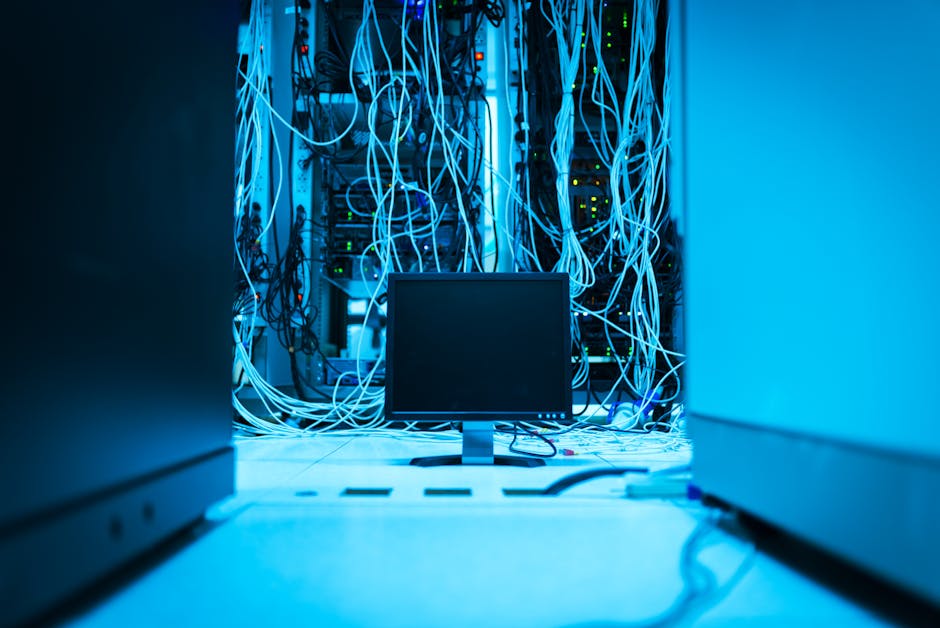
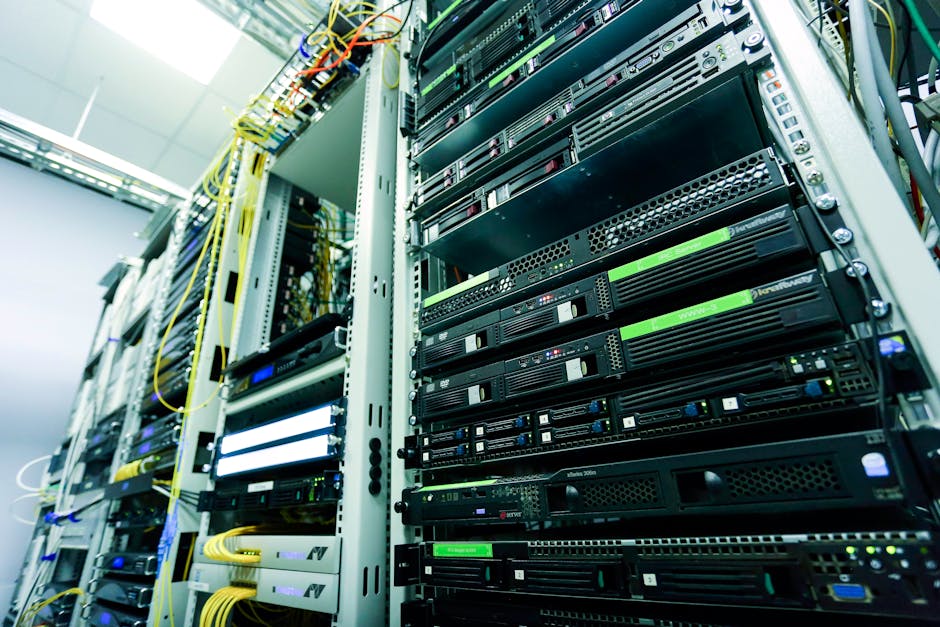
Proper cable management is essential for data centers to ensure efficient server rack operation. Poorly managed cables can lead to signal degradation, increased downtime, and maintenance difficulties. A well-organized cable management system reduces electromagnetic interference (EMI) and improves airflow within the server rack, thereby enhancing overall system reliability and performance. For more information on high-speed data cables, see The Critical Role of High-Speed Data Cables in a Connected World.
Effective cable management involves planning, organization, and maintenance. Implementing best practices minimizes risks associated with poorly managed cables and ensures optimal performance. Scalability of the cable management system is crucial for accommodating future growth and upgrades. A scalable system allows data centers to adapt to changing requirements without significant overhaul or disruption.
For instance, a data center that anticipates expansion should consider a modular cable management system. This approach enables the data center to add or remove components as needed without compromising the overall organization of the cables. Moreover, a well-planned cable management system can reduce the time and effort required for maintenance and troubleshooting, leading to cost savings and improved operational efficiency.
A good example of effective cable management is seen in large-scale data centers where cable management is critical due to the high density of equipment. These data centers often implement advanced cable management solutions, including automated cable routing and monitoring systems, to ensure optimal performance and minimize downtime. The use of Reliable High-Speed Interconnect Solutions for Enhanced Performance is also crucial in such environments.
To further illustrate the importance of cable management, consider a scenario where a data center experiences a significant increase in data traffic. Without a well-organized cable management system, the data center may struggle to manage the additional cables required to support the increased traffic, leading to signal degradation and potential downtime. In contrast, a data center with a robust cable management system can easily accommodate the additional cables and maintain optimal performance.
Best Practices for Cable Management
- Plan cable routing in advance to minimize clutter and ensure easy access to cables. This involves creating a detailed cable management plan that takes into account the layout of the server rack and the types of cables used.
- Use cable ties, clips, and organizers to keep cables neatly arranged and secured. These tools help to prevent cables from becoming tangled or damaged.
- Label cables clearly to facilitate identification and troubleshooting. Labels should be durable and easy to read, even in low-light conditions.
- Implement a color-coding system to differentiate between various types of cables. This visual system helps technicians quickly identify the purpose of each cable.
- Regularly inspect and maintain cables to prevent damage and wear. This includes checking for signs of physical damage, such as cuts or abrasions, and ensuring that cables are securely fastened.
- Consider using cable management accessories such as cable trays, cable ladders, and patch panels to further organize and manage cables.
- Use cable management software to track and manage cables, including inventory, configuration, and maintenance history.
- Train staff on cable management and maintenance procedures to ensure that they are equipped to manage cables effectively.
To implement these best practices, data centers can follow a step-by-step approach:
- Step 1: Assess the current cable management environment and identify areas for improvement. This involves evaluating the existing cable infrastructure and determining the types of cables used.
- Step 2: Develop a cable management plan, including cable routing, labeling, and color-coding. The plan should be tailored to the specific needs of the data center.
- Step 3: Implement the cable management plan, using cable ties, clips, and organizers as needed. This may involve training staff on the new cable management procedures.
- Step 4: Regularly inspect and maintain cables to prevent damage and wear. This includes scheduling periodic inspections and addressing any issues promptly.
- Step 5: Continuously monitor and evaluate the cable management system to identify opportunities for improvement.
- Step 6: Consider implementing emerging technologies such as intelligent cable management systems, which utilize sensors and AI to monitor and manage cables in real-time. For more on this topic, refer to Cable Interconnect Solutions for High-Speed Data Transfer: Enhancing Performance and Reliability.
Frequently Asked Questions (FAQs) about cable management:
- Q: How often should cables be inspected?
- A: Cables should be inspected at least quarterly, or more frequently in high-traffic data centers.
- Q: What are the benefits of a color-coding system?
- A: A color-coding system helps to differentiate between various types of cables, reducing the risk of misidentification and improving troubleshooting efficiency.
- Q: What are the consequences of poor cable management?
- A: Poor cable management can lead to signal degradation, increased downtime, and maintenance difficulties, ultimately affecting overall system reliability and performance.
- Q: Can cable management be outsourced?
- A: Yes, cable management can be outsourced to specialized service providers who offer cable management services, including planning, implementation, and maintenance.
- Q: What are the benefits of using cable management software?
- A: Cable management software helps to track and manage cables, including inventory, configuration, and maintenance history, improving overall cable management efficiency.
Selecting the Right Interconnect Cables
Choosing appropriate interconnect cables is vital for optimal server rack performance. Consider factors such as data transfer speed, cable length, and compatibility with existing infrastructure. For high-performance applications, consider Reliable High-Speed Interconnect Solutions for Enhanced Performance.
| Cable Type | Data Transfer Speed | Cable Length |
|---|---|---|
| High-Speed Interconnect Cables | Up to 100 Gbps | Up to 100 meters |
| Standard Interconnect Cables | Up to 10 Gbps | Up to 50 meters |
| Fiber Optic Cables | Up to 400 Gbps | Up to 10 kilometers |
| Coaxial Cables | Up to 10 Gbps | Up to 100 meters |
| Cat6/Cat7 Cables | Up to 10/40 Gbps | Up to 100 meters |
- Consider high-speed interconnect cables to enhance data transfer rates. These cables are designed to support demanding applications and high-bandwidth requirements.
- Ensure cables meet industry standards and are certified for use in data center environments. This includes compliance with standards such as TIA/EIA and ISO/IEC.
- Consider custom cable solutions for specific application requirements. Custom cables can be designed to meet unique length, material, or connector requirements.
- Evaluate the environmental factors that may impact cable performance, such as temperature, humidity, and exposure to chemicals.
- Assess the total cost of ownership, including the cost of cables, installation, and maintenance.
When selecting interconnect cables, it is also important to consider factors such as signal integrity, latency, and power consumption. High-quality cables can help to minimize signal degradation and ensure reliable data transfer.
Maintaining and Upgrading Interconnect Cables
Regular maintenance and strategic upgrades are crucial for sustaining optimal performance and reliability.
- Schedule periodic inspections to identify and address potential issues before they become critical. This includes checking for signs of wear, damage, or degradation.
- Upgrade cables as needed to support evolving data center requirements and technological advancements. This may involve replacing older cables with newer, higher-speed models.
- Document all cable configurations and changes to facilitate future maintenance and troubleshooting. Accurate documentation helps to ensure that technicians can quickly identify and address issues.
- Implement a cable management software solution to track and manage cables, including inventory, configuration, and maintenance history.
- Train staff on cable management and maintenance procedures to ensure that they are equipped to manage cables effectively.
- Regularly review and update the cable management plan to ensure it remains aligned with evolving data center requirements.
Best practices for maintaining and upgrading interconnect cables include:
- Keeping a record of cable inventory and configurations.
- Using cable management software to track and manage cables.
- Training staff on cable management and maintenance procedures.
- Regularly reviewing and updating the cable management plan to ensure it remains aligned with evolving data center requirements.
- Implementing a proactive maintenance schedule to identify and address potential issues before they become critical.
By following these best practices and staying informed about the latest developments in cable management, data centers can ensure optimal performance, reliability, and scalability.
Additionally, data centers can benefit from adopting emerging technologies such as intelligent cable management systems, which utilize sensors and AI to monitor and manage cables in real-time.
Intelligent cable management systems can help to:
- Monitor cable temperature and detect potential overheating issues.
- Detect cable damage or degradation, allowing for proactive maintenance.
- Provide real-time visibility into cable configurations and changes.
- Automate cable management tasks, such as cable routing and labeling.
By leveraging these advanced technologies, data centers can further optimize their cable management practices and ensure the reliability and performance of their server racks.