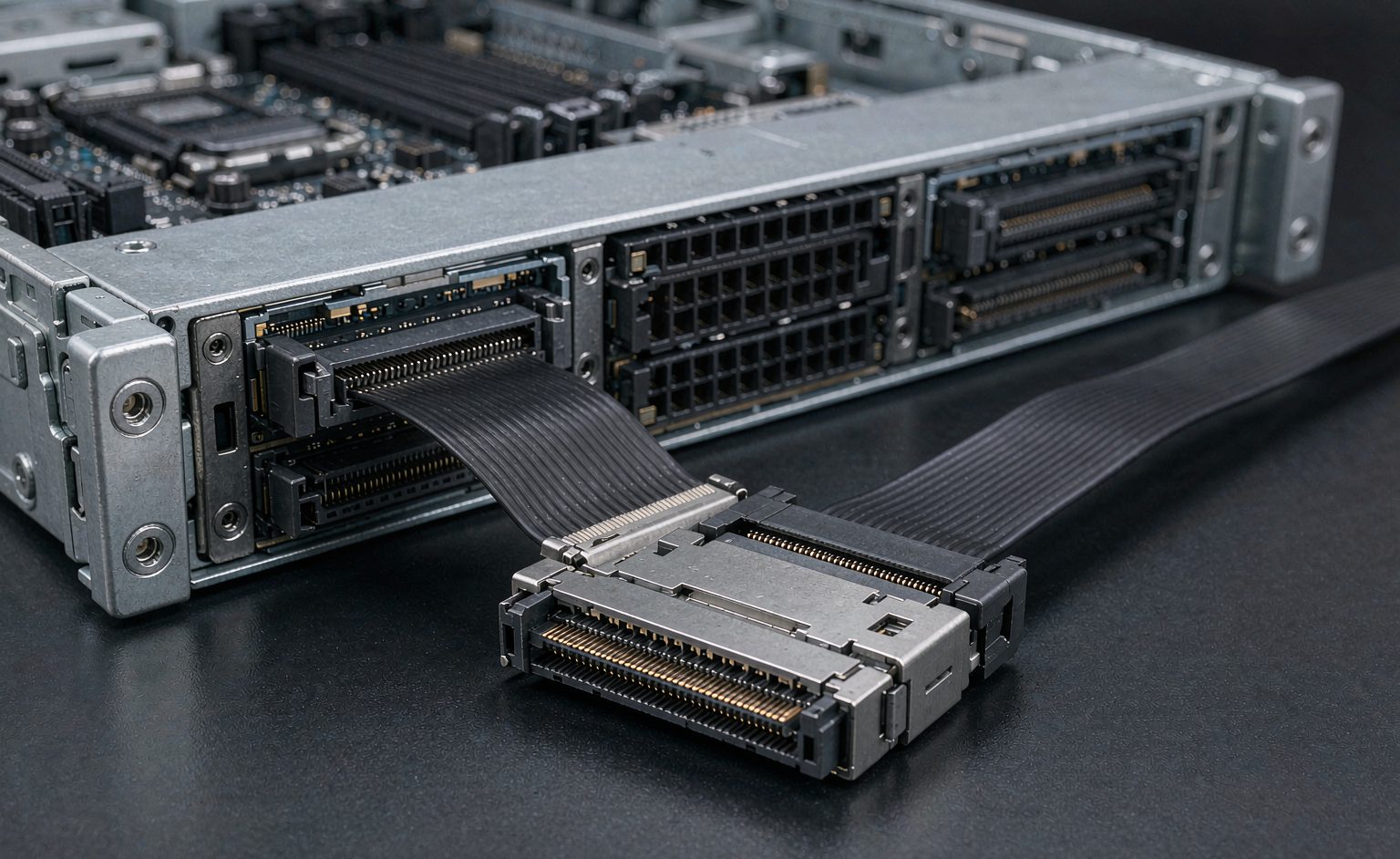
SlimSAS (SFF-8654) exists because Mini SAS could not keep getting denser. The thinner connector carries the same lane count in less space, which is why it has become the default for newer backplanes, NVMe cabling and PCIe Gen4/Gen5 links. It also introduces a compatibility trap: SlimSAS looks related to Mini SAS and Mini SAS HD, and it is neither. This guide covers what to verify before ordering.
Key Takeaways
- SlimSAS (SFF-8654) is a third connector family — it does not mate with Mini SAS or Mini SAS HD.
- Lane count and connector family are separate specifications; both must be stated.
- Passive cable length is limited by signal integrity, not by the connector — higher generations run shorter.
- Passive, active and retimer cables solve different length problems at different cost.
- Specify connector, lanes, length, gauge and routing; confirm with a connector photo before shipping.
What SlimSAS Is, and What It Is Not
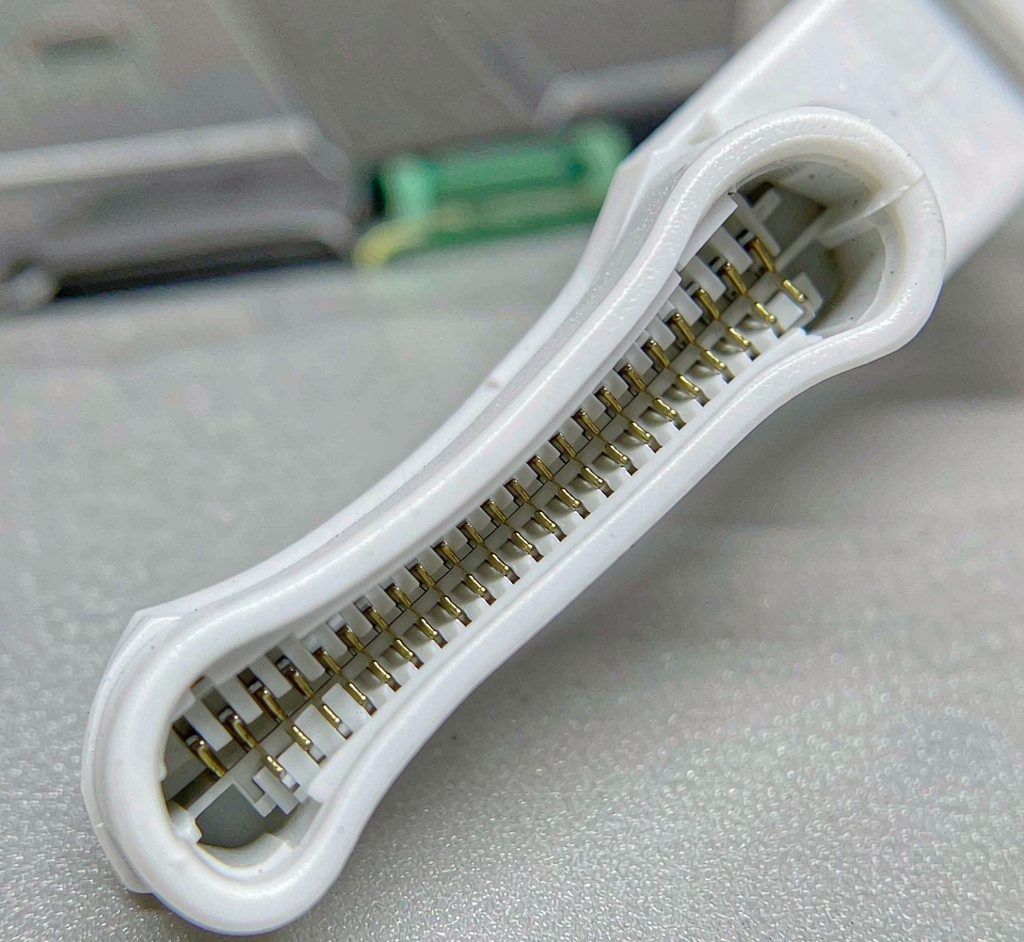
The naming causes most of the confusion. SlimSAS is a distinct, thinner connector standardised for higher density.
| Family | Connector | Character | Mates with |
|---|---|---|---|
| Mini SAS | SFF-8087 / SFF-8088 | Original consolidated SAS connector | Mini SAS only |
| Mini SAS HD | SFF-8644 / SFF-8643 | Denser, higher lane count | Mini SAS HD only |
| SlimSAS | SFF-8654 | Thinnest of the three, high density | SlimSAS only |
There are no adapters between these families in practice, and where adapters exist they are vendor-specific and lane-mapped. If your backplane is SlimSAS, the cable is SlimSAS. The family boundaries are set out in our Mini SAS guide.
Compatibility: Generation, Lanes and Protocol
Three separate compatibility questions decide whether a SlimSAS cable works in a given link.
| Question | What to confirm | Failure if wrong |
|---|---|---|
| Lane count | Does the cable carry 4i, 8i or the width the port expects? | Link negotiates at reduced width or does not train |
| Signal rate | Is the cable rated for the generation’s signalling rate? | Link drops or errors at high temperature / margin |
| Protocol mapping | SAS, PCIe or NVMe — the pin mapping differs | Cable mates but the link does not establish |
The protocol-mapping row is the one buyers most often miss. Two SlimSAS cables with identical connectors can carry different pin mappings, and a cable built for one protocol will mate into a port expecting another without any physical warning. The specification fields to state are covered in our SlimSAS specification guide.
Length Limits and How to Beat Them
Passive copper cables have a hard length ceiling set by signal integrity, and that ceiling falls as the signalling rate rises.
| Approach | How it works | Trade-off |
|---|---|---|
| Passive copper | Plain cable, no electronics | Cheapest and most reliable; shortest reach |
| Active cable | Equalisation electronics in the connector | Longer reach at moderate cost; needs power at both ends |
| Retimer / redriver | Signal conditioning to recover the eye | Longest reach; highest cost and power |
| Optical | Converts to optical for the long run | Very long reach; cost and power overhead |
The practical guidance: for short in-chassis runs, passive copper is almost always right. As runs lengthen or generations rise, move to active before you accept a shorter link. The signal-integrity limits that set the passive ceiling are explained in our cable length and signal integrity guide.
What to Specify When Ordering
Five fields make a complete SlimSAS specification, and a supplier who can quote from all five has built the assembly before.
| Field | Example | Why it matters |
|---|---|---|
| Connector both ends | SFF-8654 to SFF-8654 | Decides whether it mates |
| Lane count | 8i | Decides link width |
| Protocol mapping | PCIe / NVMe or SAS | Decides whether the link trains |
| Length | 1 m | Must stay inside the passive or active limit |
| Gauge and routing | 30 AWG, right-angle exit | Bend radius, airflow and port strain |
Two pre-shipment checks: a connector photo against a scale, and the gauge and bend radius. Internal cables that are too stiff strain the backplane connector, and the routing constraints in our bend radius guide apply directly. Ask for the test report too — continuity and signal integrity at the rated generation.
Frequently Asked Questions
What is SlimSAS used for?
High-density internal and external links: server backplanes, NVMe and PCIe Gen4/Gen5 cabling, and newer storage architectures where Mini SAS is too wide.
Is SlimSAS the same as Mini SAS?
No. SlimSAS (SFF-8654) is a separate, thinner connector family. It does not mate with Mini SAS (SFF-8087/8088) or Mini SAS HD (SFF-8644/8643).
How long can a passive SlimSAS cable be?
It depends on the signalling generation and cable construction, and the limit falls as the generation rises. For anything beyond a short in-chassis run, consider an active cable.
What is the difference between active and passive SlimSAS cables?
Passive cables are plain copper: cheapest, most reliable, shortest reach. Active cables add equalisation electronics for longer reach at higher cost and power draw.
Do all SlimSAS cables carry the same pin mapping?
No. Protocol mapping (SAS, PCIe, NVMe) differs, and a cable built for one protocol can mate into a port expecting another without any physical warning.
What should I specify when ordering a custom SlimSAS cable?
Connector at both ends, lane count, protocol mapping, length, and gauge with routing. Confirm with a connector photo against a scale before shipping.
What test report should come with a SlimSAS cable?
Continuity plus signal-integrity verification at the rated generation, referenced to the exact part number and length ordered.
Technical background: Serial Attached SCSI, PCI Express and signal integrity explain the protocols and the physical limits referenced above.