Server Rack Interconnect Cables for Data Center Infrastructure Optimization
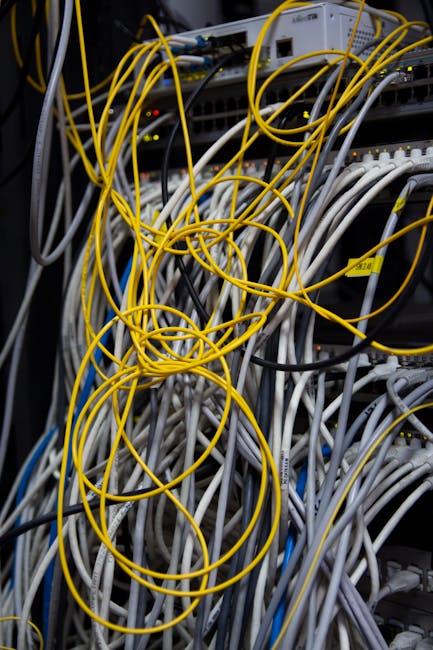
Understanding Server Rack Interconnect Cables
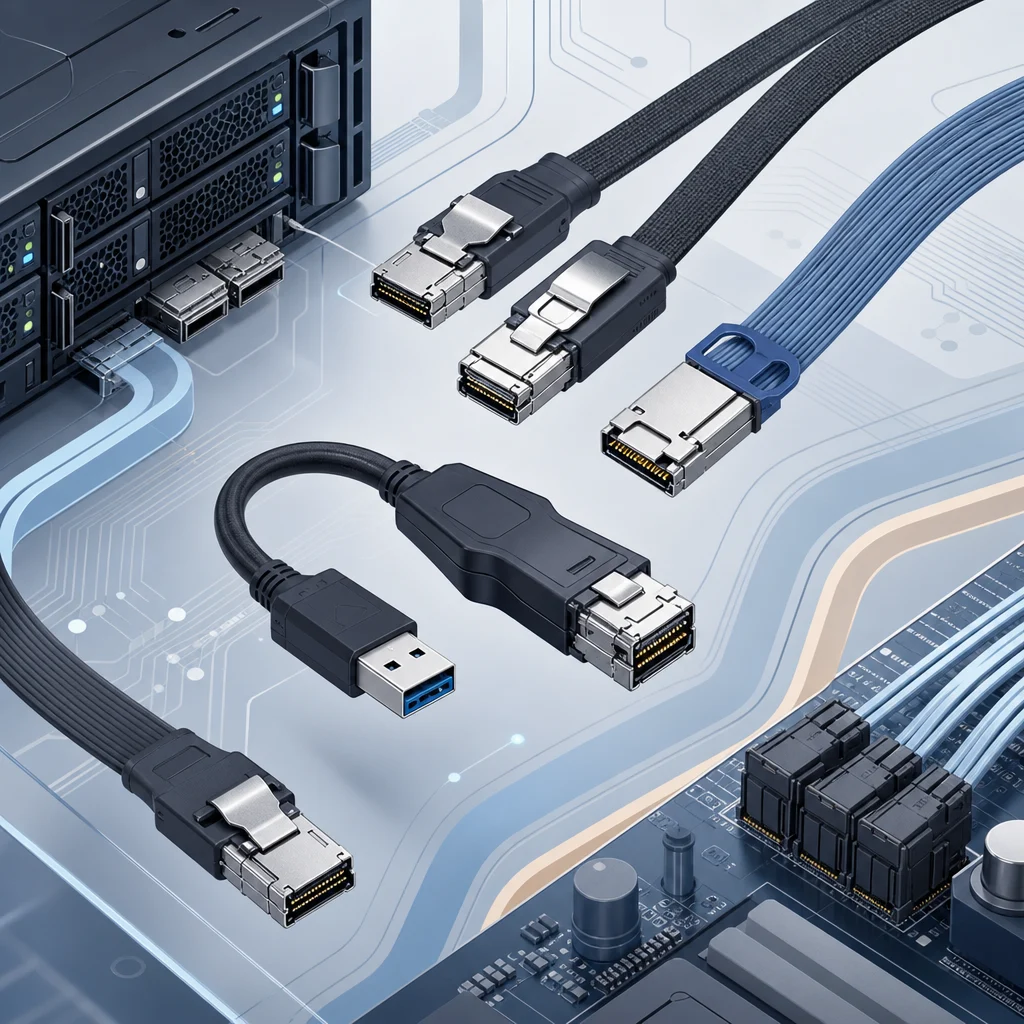
Server rack interconnect cables are crucial components in data center infrastructure, connecting devices within a server rack, such as servers, storage systems, and network equipment, to enable data transmission and power supply. Various types of server rack interconnect cables are available, including Mini SAS, SlimSAS, and OCuLink, each designed to meet specific requirements and applications. For instance, a data center using NVMe storage devices may require OCuLink cables to support high-speed PCIe connections.
- Types of Server Rack Interconnect Cables:
- Mini SAS: Supports high-bandwidth data transfer in storage applications, ideal for connecting storage devices to servers. Mini SAS cables are commonly used in data centers with high storage demands.
- SlimSAS: A compact version of Mini SAS, ideal for space-constrained environments where cable density is a concern. SlimSAS cables are often used in high-density data centers where space is limited.
- OCuLink: A high-speed interface for PCIe devices, offering low latency and high bandwidth, making it suitable for applications requiring high-speed data transfer, such as NVMe storage and GPU accelerators.
- Other specialized cables, such as QSFP and SFP, are used for specific applications, including high-speed networking and data center interconnects. QSFP cables, for example, are commonly used for 100GbE connections.
- Key considerations for selecting server rack interconnect cables:
- Data transfer rate: Ensure the cable supports the required data transfer rate to meet the demands of your application. For example, a data center with high-speed storage devices may require cables with data transfer rates of up to 12Gb/s.
- Cable length: Choose a cable that meets the required length without compromising signal integrity, taking into account the specific requirements of your data center layout. Cable lengths can vary from a few inches to several feet.
- Compatibility: Verify the cable is compatible with devices and equipment to avoid potential issues and ensure seamless integration. Check the cable’s compatibility with your devices’ interfaces, such as SAS, SATA, or PCIe.
- Signal integrity: Consider the cable’s signal integrity and potential for signal degradation, particularly in high-speed applications. High-quality cables with proper shielding and construction can minimize signal degradation.
| Tipo de Cabo | Taxa de Transferência de Dados | Aplicação |
|---|---|---|
| Mini SAS | Up to 12Gb/s | Storage applications, such as connecting storage devices to servers. |
| SlimSAS | Up to 12Gb/s | Space-constrained environments, such as high-density data centers. |
| OCuLink | Up to 32Gb/s | High-speed PCIe applications, such as NVMe storage and GPU accelerators. |
| QSFP | Up to 100Gb/s | High-speed networking applications, such as data center interconnects. |
| SFP | Up to 25Gb/s | Networking applications, such as 10GbE and 25GbE connections. |
Benefits of High-Quality Server Rack Interconnect Cables
High-quality server rack interconnect cables offer numerous benefits, including reliable data transmission, increased data transfer rates, and enhanced compatibility. They minimize signal degradation, reduce downtime, and improve data center efficiency, ultimately contributing to a more reliable and scalable data center infrastructure. A case study by a leading data center operator found that implementing high-quality server rack interconnect cables resulted in a 30% reduction in downtime and a 25% increase in data transfer rates.
- Benefits of high-quality cables:
- Reliable data transmission and reduced signal degradation, ensuring data integrity and minimizing errors. High-quality cables are designed to minimize signal attenuation and distortion.
- Increased data transfer rates and improved performance, enabling faster data processing and transfer. High-quality cables can support higher data transfer rates, such as 100GbE.
- Enhanced compatibility and reduced risk of compatibility issues, simplifying integration and reducing potential downtime. High-quality cables are designed to be compatible with a wide range of devices and equipment.
- Improved scalability and flexibility, allowing for easier upgrades and expansions. High-quality cables can support future upgrades and expansions, reducing the need for costly cable replacements.
- Case Study: A leading data center operator implemented high-quality server rack interconnect cables, resulting in a 30% reduction in downtime and a 25% increase in data transfer rates. The operator also reported improved scalability and flexibility, allowing for easier upgrades and expansions.
Best Practices for Selecting and Installing Server Rack Interconnect Cables
To ensure optimal performance and reliability, follow best practices when selecting and installing server rack interconnect cables. Proper planning, cable selection, and installation can minimize signal degradation and ensure optimal performance.
- Best practices:
- Choose cables that meet the required data transfer rate and cable length specifications, taking into account the specific requirements of your application. Consider factors such as data transfer rate, cable length, and compatibility.
- Verify compatibility with devices and equipment to avoid potential issues and ensure seamless integration. Check the cable’s compatibility with your devices’ interfaces, such as SAS, SATA, or PCIe.
- Follow proper installation procedures to minimize signal degradation, including cable routing, bending radius, and termination techniques. Proper installation can minimize signal attenuation and distortion.
- Consider cable management strategies to maintain a organized and maintainable cabling infrastructure. Cable management can simplify cable identification, reduce clutter, and improve airflow.
- Regularly inspect and test cables to ensure signal integrity and identify potential issues before they become critical. Regular maintenance can help prevent downtime and ensure optimal performance.
- Step-by-Step Installation Guide:
- Plan and document the cabling infrastructure, including cable routes and connections. Create a detailed plan and diagram to ensure accurate installation.
- Select and procure the required cables, ensuring compatibility and meeting specifications. Verify the cables meet the required data transfer rate, cable length, and compatibility requirements.
- Install cables according to the planned infrastructure, following proper installation procedures. Use cable management strategies to maintain a organized and maintainable cabling infrastructure.
- Test and verify cable connections, ensuring signal integrity and optimal performance. Use testing tools to verify signal integrity and identify potential issues.
- Regularly inspect and maintain the cabling infrastructure to ensure ongoing reliability and performance. Regular maintenance can help prevent downtime and ensure optimal performance.
Perguntas Frequentes (FAQs)
- Q: What are the most common types of server rack interconnect cables?
- R: Mini SAS, SlimSAS, OCuLink, QSFP, and SFP are among the most common types, each with specific applications and use cases. The choice of cable depends on the specific requirements of your application.
- Q: How do I choose the right server rack interconnect cable for my application?
- A: Consider factors such as data transfer rate, cable length, compatibility, and signal integrity to select the most suitable cable for your specific requirements. Verify the cable’s compatibility with your devices’ interfaces and ensure it meets the required data transfer rate and cable length specifications.
- Q: What are the benefits of using high-quality server rack interconnect cables?
- A: High-quality cables offer reliable data transmission, increased data transfer rates, and enhanced compatibility, ultimately contributing to a more reliable and scalable data center infrastructure. High-quality cables can minimize signal degradation, reduce downtime, and improve data center efficiency.
- Q: How can I ensure optimal performance and reliability when installing server rack interconnect cables?
- A: Follow best practices, including choosing the right cables, verifying compatibility, and following proper installation procedures to minimize signal degradation and ensure optimal performance. Regularly inspect and test cables to ensure signal integrity and identify potential issues before they become critical.
- Q: What are the consequences of using low-quality server rack interconnect cables?
- A: Low-quality cables can result in signal degradation, increased downtime, and reduced data center efficiency. They may also be incompatible with devices and equipment, leading to integration issues and potential downtime.
- Q: How often should I inspect and test my server rack interconnect cables?
- A: Regularly inspect and test cables to ensure signal integrity and identify potential issues before they become critical. The frequency of inspection and testing depends on the specific requirements of your data center and the criticality of the cables.